
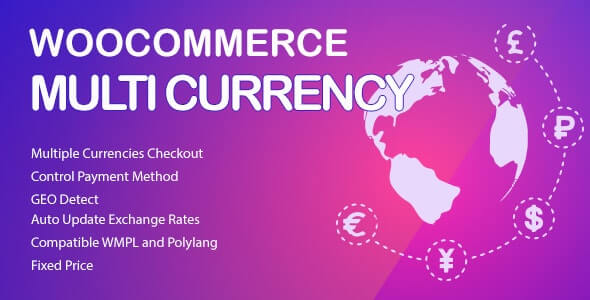
WooCommerce Multi Currency v2.2.3
⚡ Instant Direct Download link delivered immediately to your account
Bank-Grade Encrypted Gateway • Instant Digital Download • Zero Risk Guarantee
100% Working Genuine GPL Untouched Files & Safe Direct Downloads
Product Overview
WooCommerce Multi Currency
What is WooCommerce Multi Currency? If you have a WooCommerce store, WooCommerce Multi Currency is a must-have plugin for you. WooCommerce Multi Currency allows your customers to switch between currencies and helps your store accept payments in multi-currency. The exchange rate can be set up manually or automatically. The WooCommerce Multi Currency plugin can automatically get customer’s geolocation and display the price in the customers’ native currency.Some WooCommerce Multi Currency FEATURES
CURRENCY OPTIONS The WooCommerce Multi Currency plugin is flexible with many currency options for front-end display, update exchange rates option- Auto-update exchange rate: The WooCommerce Multi Currency plugin automatically updates exchange rates. You can set the time for the automatic update: every 30 minutes, 1 hour, 6 hours, 1 day, 2 days, 3 days, 1 week, 1 month.
- Successful update exchange rate email: The plugin will send a notification email whenever it updates the exchange rate. Set the exchange rate manually: The WooCommerce Multi Currency plugin also allows you to set up the exchange rate manually.
- Exchange fee: Every time you exchange money from one currency to another, the bank or money transfer operator may apply a currency exchange fee. The difference between the exchange rate they decide to apply and the real exchange rate traded in the market is the currency exchange fee. WooCommerce Multi Currency allows you to add permanent exchange fees to exchange rates.
- Price formatting: Config how prices are displayed on the front-end. Example: $100; $ 100; 100,00$; 100.00$ …
- Custom currency symbol: You can custom currency symbols. Example: United States Dollar can be displayed as USD, US$, $…
- Fixed Price: WooCommerce Multi Currency allows you to set up custom prices in different currencies in every product. The fixed prices will overwrite the prices calculated by exchange rates.
- Hidden Currency: The WooCommerce Multi Currency plugin allows you to hide currencies which you do not want it to be shown on the front-end.
- Select currency exchange rate sever: You can select to update the exchange rate from VillaTheme.com, Google Finance, Yahoo Finance. More exchange rate servers will be added in the future.
- Use SESSION: The WooCommerce Multi Currency plugin will use the session instead of cookies to save the selected currency.
- Currency Price Switcher: A switcher appears under the product price. Allow customers to switch the price between currencies.
- Detect currency base on customers’ country: The plugin will detect customers’ country base on their IP address, then select their currency to display prices.
- Currency by country: You can select which currency will be displayed to customers from which country.
- Approximate Price: With this feature, prices will be displayed in the default currency. But under that, there will be approximate prices that are displayed in the customer’s native currency. Help customers know how expensive/cheap products are.
- Auto-select currency base on Polylang language: The plugin will select a currency to display prices base on your site language. Example: there are 2 languages on your site English and Spanish, you can select to display prices in GBP in English site and in EUR in Spanish site.
- Auto-select currency base on WPML language: Similar to Polylang, but prices will be selected base on WPML’s language.
- Allow multi-currency payment: Customers can purchase in their selected currency. In order to use this feature, you need a payment gateway enabled on your site that supports the customer selected currency.
- Selected check out currencies: The WooCommerce Multi Currency plugin allows you to select check-out currencies. For example, you can display prices in 4 different currencies on your shop but accept payment in 2 currencies only.
- Display payment methods based on currency: You can select which payment gateway will appear on the check out page base on the currency.
- Checkout Currency on Cart page: Change the currency on the Cart page to check out currency.
Technical Specifications & Compatibility
| License | GPL |
| Current Version | v2.2.3 |
| Original Author | Codecanyon |
| Live Preview / Demo | Official Developer Demo |
| WordPress Compatibility | WP 5.8 to 6.7+ (Fully Compatible) |
| PHP Requirements | PHP 7.4 / 8.0 / 8.1 / 8.2 / 8.3 |
| File Integrity | 100% Untouched (Original .zip) |
| Security & Safety | 100% Clean & Verified (Safe) |
| Download Delivery | Instant Direct High-Speed Download |
Instant Direct Download
High-speed direct download link
100% Virus-Free
Verified authentic & clean files
VIP Priority Support
Direct 24/7 Helpdesk & Ticket
Related Products You May Like
View Catalog → 🔥 HOT DEAL
 🔥 HOT DEAL
 🔥 HOT DEAL
 🔥 HOT DEAL
Customer Reviews
No reviews yet for this product
Have you purchased or downloaded this item? Be the first to share your honest feedback with the community!
Want Unlimited Access to This & 7,400+ Other Items?
Stop buying items one by one. Join thousands of creators getting 1-click instant direct downloads, daily regular updates, and priority support for our entire theme and plugin collection.